One operating view as your client base grows
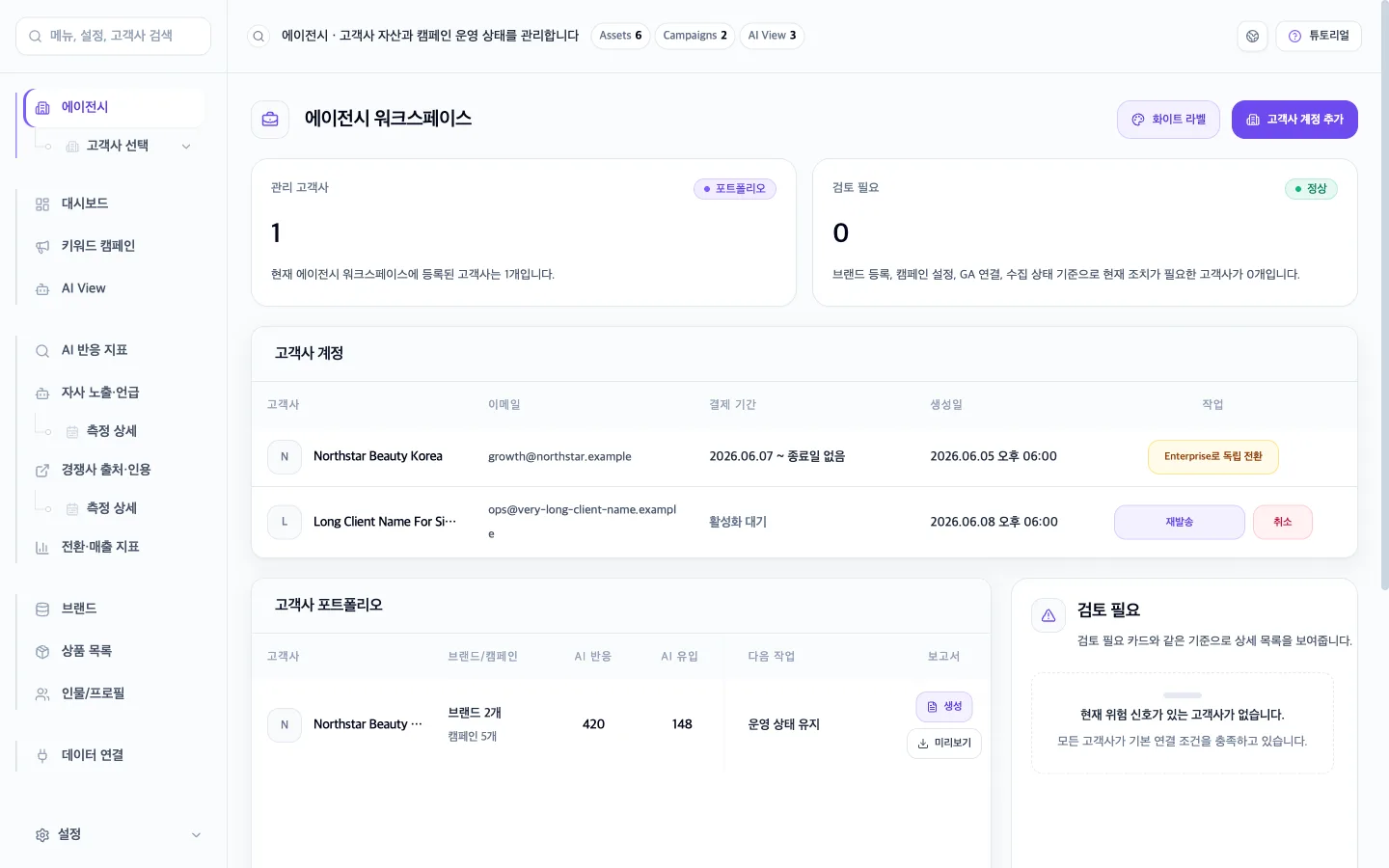
Manage multiple client accounts and results while separating data and access permissions for every client.
- Multi-client workspaces
- Client-level data and permissions
- Agency operations dashboard

GEO white-label for agencies
Manage client AI visibility in one place. Connect the client experience with your own domain and logo.
Start with client operations. Add your agency brand to the experience your clients see.
Manage multiple client accounts and results while separating data and access permissions for every client.
Add your agency logo, dedicated domain, and branded sign-in experience to the core operating foundation.
Manage your client accounts while each client sees their own results. Switch views to explore the actual dashboards.
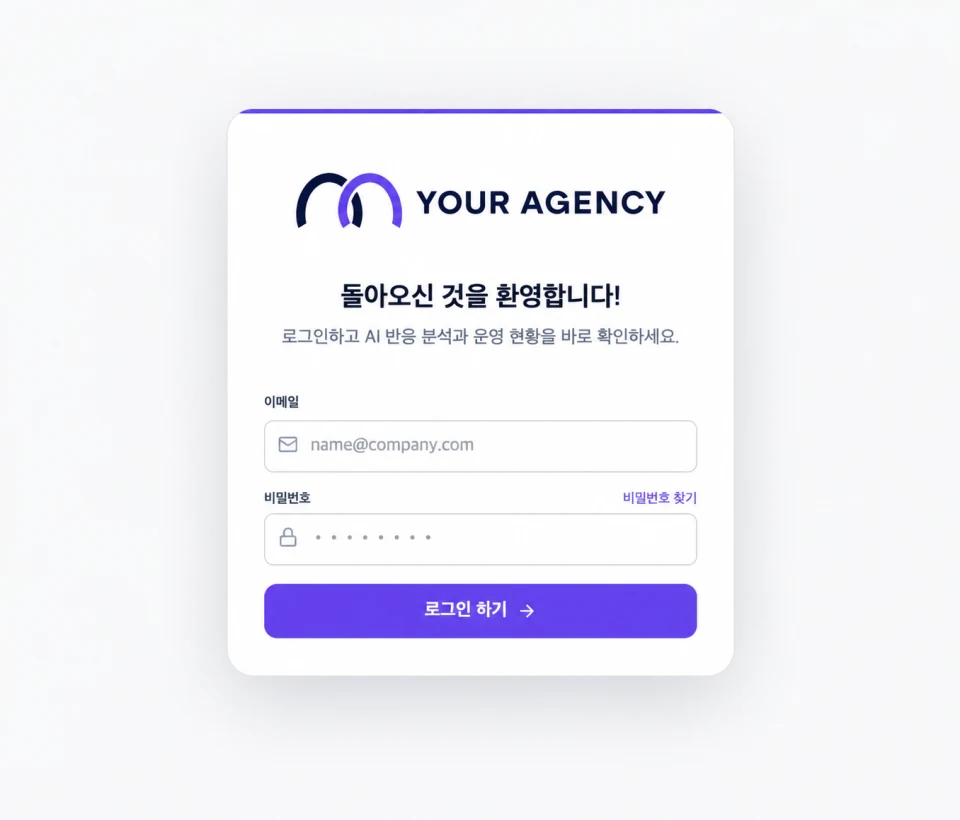
Add your agency logo to the familiar sign-in screen. Keep your brand present from the first client interaction.
Replace the GEO Gateway logo at the top of the sign-in card with your agency logo.
Keep the existing email, password, and sign-in flow unchanged.
Clients recognize your agency brand from the moment they sign in.
Your agency owns client relationships and pricing. GEO Gateway supports platform and data operations. We do not sell directly to registered clients.
Define what clients receive: assessment, setup, and ongoing operations. Add white-label when a branded experience fits the service.
Assess the client’s search and AI visibility, then define priorities and an actionable scope as the first paid engagement.
Configure brands, target URLs, campaigns, permissions, and reporting as a client-specific implementation package.
Bundle AI visibility monitoring, improvement work, and regular reporting into an ongoing monthly engagement.
Offer your agency logo and branded sign-in experience as a premium option for clients who value a unified brand experience.
Project revenue
Setup revenue
Recurring revenue
Optional white-label
Add white-label only after the core service is proven and the client benefits from an agency-branded touchpoint.
We confirm your client count, operating scope, and branding requirements before discussing monthly terms and support coverage.
Agree on the scope, connect the account, and choose the branding your first client needs.
Select one client with an established relationship and a clear need for GEO.
Define the target URLs, channels, reporting frequency, and team responsibilities.
Separate permissions and connect the brand information and data sources required for measurement.
Decide where to apply the logo, dedicated domain, and client support information.
Launch the client dashboard with the selected branding and begin ongoing operations.
Core agency features provide the operating foundation for multiple clients, permissions, and data. White-label is an optional feature that adds your agency logo, dedicated domain, and branded sign-in experience.
Your agency does. Client contracts and final sales prices follow your agency’s service model.
No. We do not sell directly to clients registered by your agency. If operational contact is required, we use only the channels agreed with your agency.
Your agency owns first-line client communication. GEO Gateway supports your agency on platform and data operations.
You can start quickly with the default agency setup, then add your logo and dedicated domain in stages.
Each client uses a separate workspace and access model so information is not mixed across accounts.
We agree on transfer or termination steps based on the contract and client permissions. Data handling rules are confirmed at launch.
Tell us about your first client and service goals. We will help define the features and branding you need.
Start with one client